
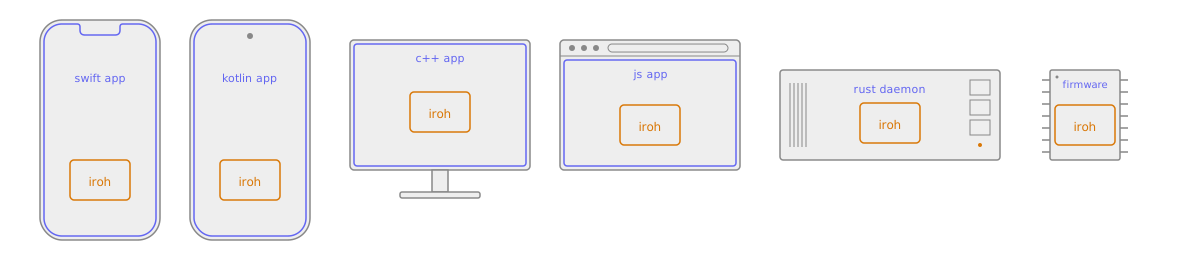
Core features
- Fast: iroh enables direct connections between devices, allowing them to communicate without relying on centralized servers.
- Reliable: iroh is designed to work in challenging network conditions. It uses relay servers as a fallback when direct connections are not possible.
- Secure: All connections established through iroh are authenticated and encrypted end-to-end using the QUIC protocol, ensuring data privacy and integrity.
- Modular: iroh is built around a system of composable protocols that can be mixed and matched to suit the needs of different applications. This allows developers to easily add functionality such as file sharing, messaging, and real-time collaboration.
Use cases
- Real-time communication: Build chat applications, RPC services, and streaming data with iroh’s communication protocols.
- Files & blobs: With protocols like iroh-blobs, iroh enables efficient file transfer.
- Local-first, offline-first, peer-to-peer applications: iroh provides the networking foundation for building applications that can operate without reliance on servers.
- Structured data: iroh’s support for flexible data protocols like Documents and Automerge allows developers to build applications that support real-time collaborative editing and data synchronization. Any kind of CRDT or OT sync protocol can be integrated.
How iroh works
iroh’s job comes down to two promises: you can reach a peer no matter where it is, and the connection you get is the best one available.Connect by key
Every iroh endpoint is identified by a cryptographic key. That key — not an IP address — is the address. It lets you connect to a peer no matter where it is, even as its network location changes underneath it.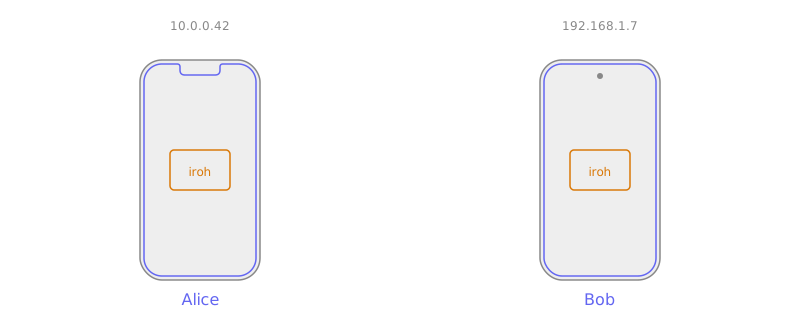
Reliable connections
We make sure you get a connection whenever possible, and that it’s as fast as possible. When network conditions change, iroh immediately reacts and switches to the new best path — transparently, without dropping the connection.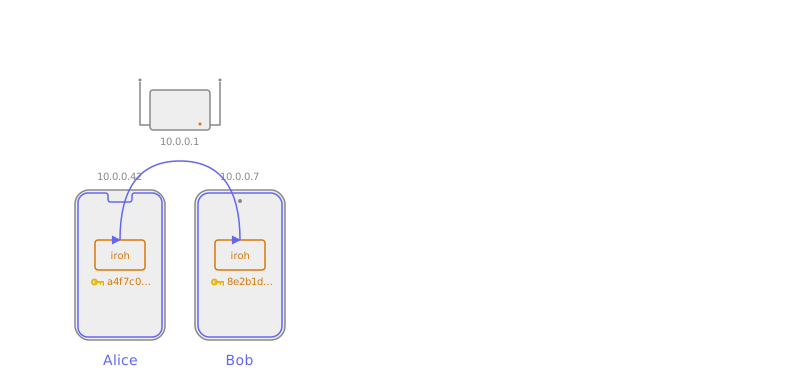
Library and relays
There are two pieces to the system:- The iroh library runs inside your application. It provides the API to create endpoints, connect to other endpoints, and open connections and data streams.
- Relays run in the background on publicly reachable servers. They help endpoints find each other and establish direct connections, and relay data as a fallback when a direct connection isn’t possible.
Endpoint startup
An iroh endpoint is configured with a set of relays — the rate-limited public relays operated by number 0, relays from iroh services, or self-hosted ones. iroh works fine with a single relay, but works best with relays in every region where your users are. On startup, an endpoint sends QAD probes to all configured relays. This does two things: it learns the endpoint’s own public IP address, and it learns which relay is closest by latency. The closest relay becomes the home relay, and the endpoint keeps a secure WebSocket connection open to it.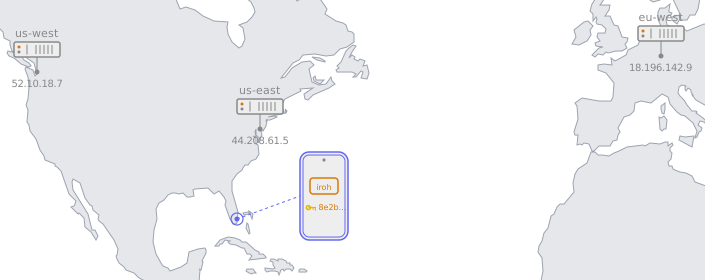
Finding peers
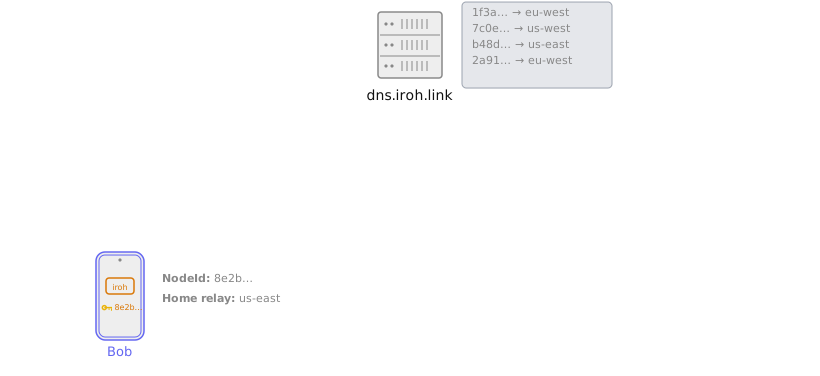
When there are multiple relays, Alice needs to know which relay to use to reach Bob. iroh offers two ways to publish and look up that information.DNS-based lookup
Out of the box, iroh uses DNS. Bob publishes a signed record with his home relay to a DNS server operated by number 0 via an HTTPSPUT. Anyone who wants to
reach Bob resolves that record with a DNS or HTTPS query. See
DNS address lookup.
Mainline DHT lookup
DNS works in most cases, but sometimes you want something fully peer-to-peer. For that, iroh offers an optional lookup over the Mainline DHT: it publishes the exact same signed record using the BEP 44 extension. See DHT address lookup.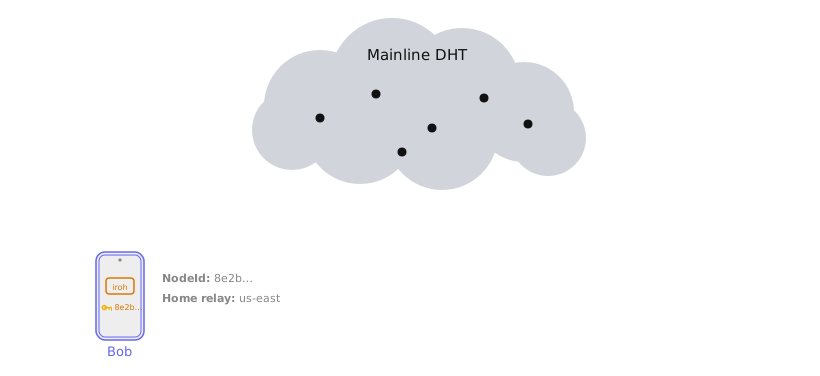
Direct connections
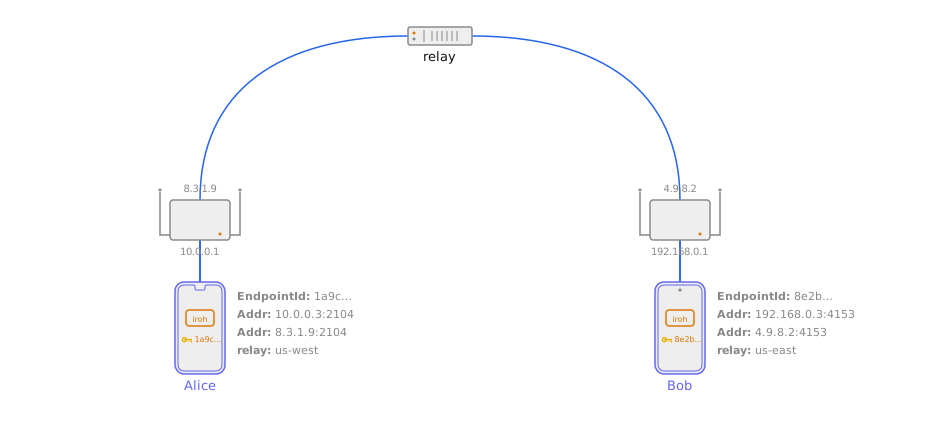
So far we’ve described a system where endpoints can always talk — but all data flows through the relays. That adds latency, limits throughput, and costs the relay operator money. Making connections fast and direct is arguably the most complex part of the system.Hole punching
Hole punching happens inside the QUIC connection via ann0_nat_traversal extension, inspired by the
QUIC NAT traversal draft
but using its own transport parameter ID. See
NAT traversal.
Local connections
If two devices are on the same network, hole punching isn’t needed — each side just needs to learn the other’s local address. See local address lookup.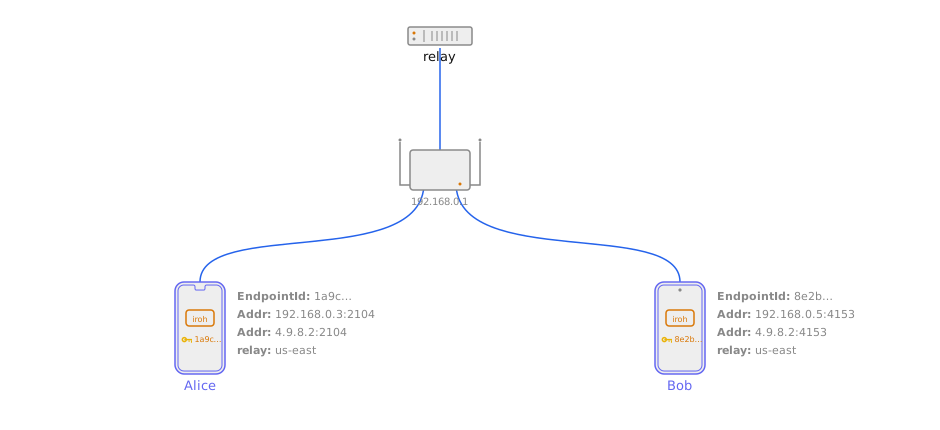
How the pieces stack together
An iroh application is a stack of small layers, each with one job: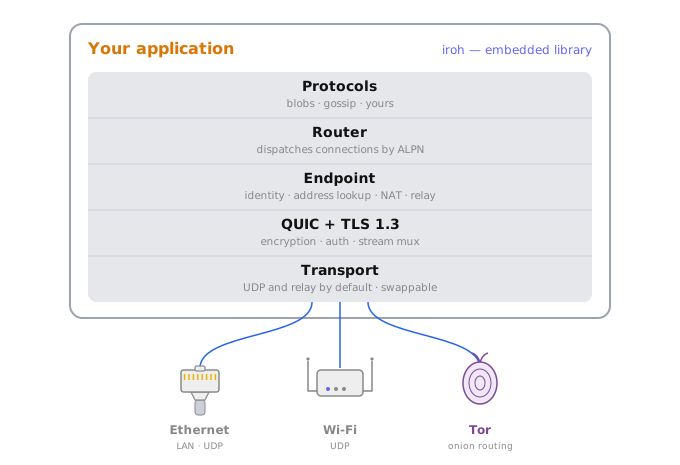
- Transport carries encrypted bytes between machines. UDP is the default; you can swap in Tor, Nym, or Bluetooth when you need a different wire.
- QUIC + TLS 1.3 provides end-to-end encryption, authentication, and stream multiplexing over that transport.
- Endpoint is the connection-level API. It gives
each node a stable
EndpointID, finds peers through address lookup, traverses NATs, and falls back to relays when a direct path isn’t available. - Router listens on an endpoint and dispatches each incoming connection to the right protocol handler based on its ALPN string. This is what lets several protocols share one endpoint.
- Protocols define what two peers actually do once
connected — transfer files, sync documents, broadcast messages. Mix them
freely:
iroh-docs, for example, is built on top ofiroh-blobsandiroh-gossip.
accept calls, one endpoint: both blobs and gossip are now reachable on
this node, routed by their ALPN.